


A Bitcoin wallet does not hold a single coin. It holds keys, and those keys prove the coins are yours. Once that clicks, everything else about setting one up gets easier. If youare figuring out how to get a Bitcoin wallet, the good news is it takes about ten minutes on a phone. Most of that time goes to one task: writing down a short list of words. This guide walks through each step, from picking a type to sending a first test transfer. By the end, you will have a working wallet, a backup you have actually tested, and a Bitcoin wallet address ready to use.
Bitcoin Wallet Basics

Here is the short version. Four steps take you from nothing to a funded wallet:
- Choose a wallet type that matches how you will use it.
- Install the app and create a new wallet.
- Back up the seed phrase on paper, then test a restore.
- Copy your receive address and send a small test transfer.
A wallet holds keys, not coins. The coins live on the blockchain, and your private key is what lets you move them. Your seed phrase, also called a recovery phrase, is a readable backup of that key. That is why the real answer to how to get a Bitcoin wallet is less about downloading software and more about guarding a backup. Lose the backup, and you lose access. Share it, and you lose control.
People ask how to make a Bitcoin wallet as if it were an account sign-up. It is closer to generating a key, which is why many self-custody apps do not ask for personal details. Most apps are free to download, while hardware wallets are physical devices and cost money.
Choose Your Wallet Type
How do I get a Bitcoin wallet without picking the wrong type? Start with one question: who holds the keys? With a custodial wallet, such as an exchange account, a company holds them for you. With self-custody, you hold them yourself.
|
Wallet type |
Cost |
Who holds the keys |
Best for |
| Exchange wallet | Free to open, trading fees apply | The exchange | Buying coins and short stays |
| Mobile app | Free to download | You, in most apps | Everyday use and first deposits |
| Desktop app | Free to download | You, with keys on your computer | More control on a bigger screen |
| Hardware wallet | Paid device | You, on a separate device | Long-term holdings |
An exchange account is the easiest place to start, since you sign up and the platform looks after the keys. That convenience suits buying more than storing. A mobile wallet that you control gives you the keys, and the responsibility that comes with them. What is the best wallet for Bitcoin? That depends on the job, which is why we don't rank any type here. Everyday amounts suit a mobile wallet, while larger long-term holdings suit a hardware wallet.
For a first deposit, a mobile app is the usual starting point, so the rest of this guide uses one. If you are still unsure how to get a bitcoin wallet that fits you, decide how much you plan to keep in it.
Set Up a Mobile Wallet
Wondering how to setup a Bitcoin wallet on your phone? Three steps cover it. The screenshots use Trust Wallet as an example only, and other apps follow a similar flow.
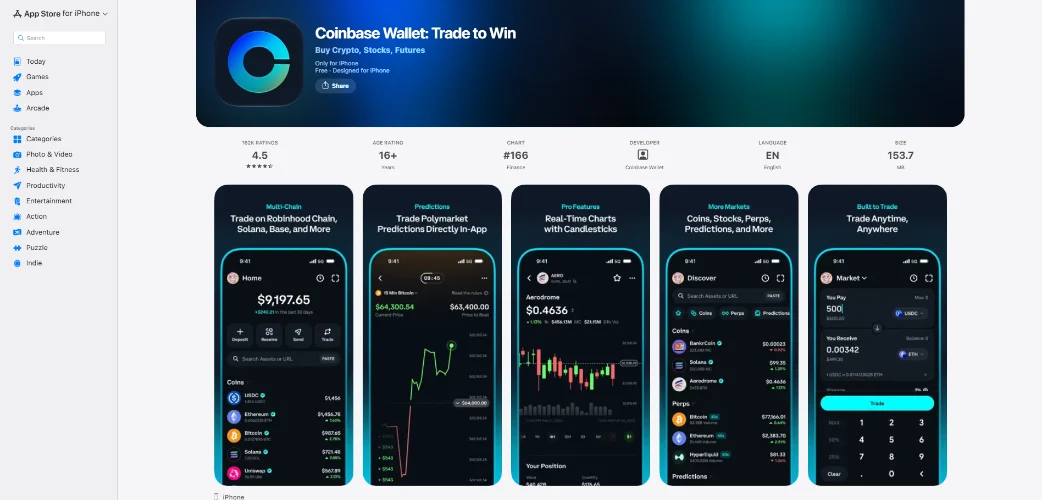
Step 1: Install From the App Store
How do I get a Bitcoin wallet app without grabbing a fake? Search for it by name, then check the developer name before you tap install. Fake apps copy real icons and use names with small typos.
Look at the ratings and reviews too. Kaspersky researchers reported more than twenty phishing apps imitating popular crypto wallets in March 2026. A reliable route is the store link on the wallet maker’s own website.
A real wallet never asks for your seed phrase outside setup and recovery.
Step 2: Create a New Wallet
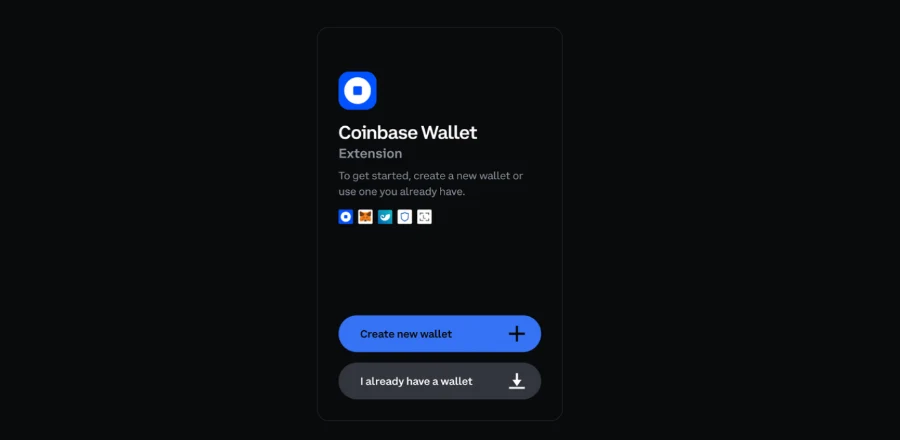
Here is how to create a Bitcoin wallet in the app. Open it and tap Create a new wallet, not Import, which is only for restoring an old one. Then set a passcode or turn on biometrics. Your wallet now exists, but the backup comes next. Do it before you add any funds, because a wallet without a backup is one lost phone away from empty.
Step 3: Back Up the Seed Phrase
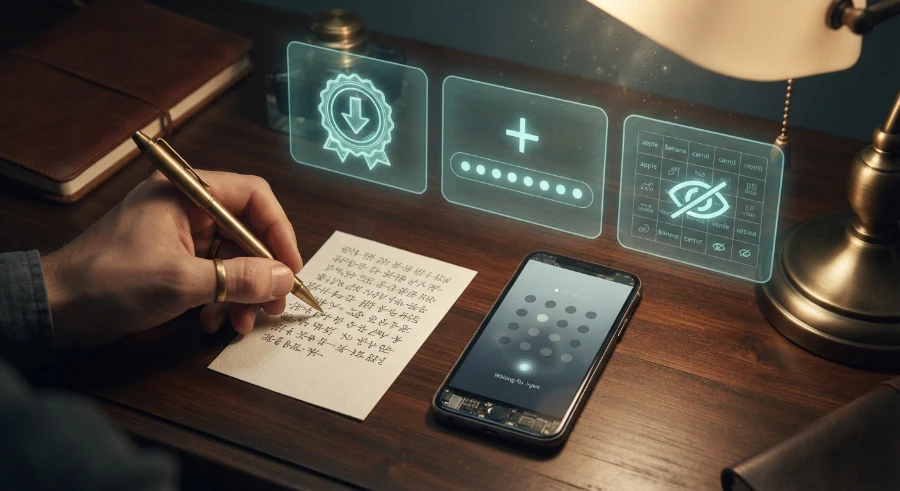
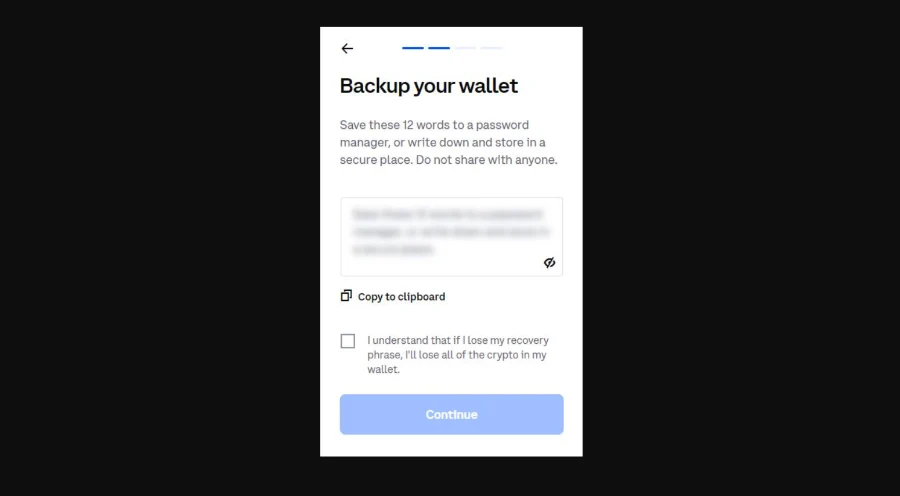
Open the wallet’s settings and look for the secret phrase or backup option. The app shows 12 words in order, and some apps show 24. Write them on paper, slowly, and check each one against the screen.
Never take a screenshot or save the words in notes, email, or cloud storage. Anyone who finds them controls your funds, and no support team can reset them. Never read them out to anyone, including someone claiming to be support.
Now do the step most guides skip: a test restore. Install the app on a second device and restore using only your written words. If the same Bitcoin wallet address appears, the backup works. Once your first test transfer lands, repeat the check and confirm the amount shows up too. That proves the paper copy can bring back both the wallet and the funds.
Find Your Bitcoin Address
Open the wallet, tap Receive, and choose Bitcoin. The app shows your Bitcoin wallet address as a long string of letters and numbers, plus a QR code. Some apps call it your receive address.
Sharing it lets people send to you, and it does not give them access to your keys. Think of it as an account number that anyone can pay into, but nobody can spend from.
Addresses start with 1, 3, bc1q, or bc1p. Those prefixes mark legacy, P2SH, native SegWit, and Taproot formats. Newer formats such as bc1q usually cost less in network fees, and your wallet picks a sensible default.
When you send to an address, copy and paste it or scan the QR code instead of typing it. One wrong character sends funds to the wrong place, and Bitcoin transfers cannot be reversed. Compare the first and last few characters before you confirm.
Add Bitcoin to Your Wallet

Searching how to add Bitcoin to wallet usually leads to one answer: buy on an exchange, then send. If that is new to you, you can buy crypto on an exchange and move it across once the purchase settles.
Coinbase is one route, and you can buy Bitcoin on Coinbase before sending it to your new address. Binance follows the same pattern, so the steps carry over.
Kraken works the same way. You can buy Bitcoin on Kraken and then move it to the wallet you just set up.
Already use Cash App? Once you have bought Bitcoin there, you can send Bitcoin from Cash App to your Bitcoin wallet address.
A common question is how much $100 is in a Bitcoin wallet. The answer is a fraction of one coin, and the exact amount depends on the price when you buy. Your wallet shows the balance in Bitcoin and in your local currency.
Whichever route you take, send a small test first. If you only remember one thing from how to add bitcoin to wallet advice online, make it this one. Paste your receive address, check the network, and send a small amount.
Then look up the transaction in a block explorer. It shows whether the transfer is confirmed, and one confirmation is a sensible minimum before you send more.
Your wallet sets the network fee, so check the amount it shows. Fees rise and fall with network activity, so the same transfer can cost more on a busy day.
Your First BitofGold Deposit
You now know how to get a bitcoin wallet and fund it. Open the BitofGold deposit page, choose your coin, and copy the deposit address shown. The minimum deposit is $10.
Check the network before you send. Match the one shown on the deposit page, or the funds may not arrive. Then paste the address, enter the amount, and confirm.
Your wallet shows the network fee before you confirm, so check it against the amount you plan to send. Wait for the transaction to confirm before you assume anything has gone wrong.
BitofGold accepts BTC, LTC, and DOGE. Litecoin and Dogecoin wallets work the same way, so the steps above carry over to Litecoin and Dogecoin deposits.
New accounts can claim a $20 Free Play offer at sign-up. Free Play winnings require a first deposit before you can cash them out.
Wallet Mistakes to Avoid
Knowing how to get a bitcoin wallet is half the job. Avoiding a few common slips is the other half. Most guides on how to setup a bitcoin wallet stop at the backup and skip the test restore.
|
Mistake |
Result |
Fix |
| Wrong network or address | Funds can be lost for good | Check the network and the first and last characters |
| Lost seed phrase | No way to recover the wallet | Keep a tested paper backup somewhere safe |
| Fake support messages | Someone asks for your phrase and empties the wallet | Never share it, because real support never asks |
| Skipping the test transfer | One typo costs the full amount | Send a small amount first |
| Fake wallet apps | Your phrase is stolen at setup | Check the developer name and use the maker’s own link |
None of these needs technical skill to avoid. They need patience and one extra check. Scammers lean on pressure, so treat any message that rushes you as a warning sign.
FAQ
Is a Bitcoin wallet free?
Knowing how to get a Bitcoin wallet for free is simple: pick a mobile app, since most are free to download. An exchange account is free to open too. Hardware wallets are physical devices, so they cost money, and network fees apply whenever you send.
How much does a Bitcoin wallet cost?
Learning how to create a Bitcoin wallet in an app costs nothing up front. A hardware wallet is a one-time purchase, and prices vary by maker. Each transfer also carries a network fee that rises and falls with demand.
Which wallet type is best for beginners?
A mobile self-custody app is the usual starting point for anyone learning how to get a Bitcoin wallet. It is free and quick to set up. Move to a hardware wallet later if your balance grows.
Can I get a Bitcoin wallet without an exchange?
Yes. A self-custody app needs only a phone and about ten minutes, and learning how to make a Bitcoin wallet this way involves no exchange account. You only need an exchange or another source when you want to add Bitcoin to it.
What happens if I lose my seed phrase?
If the wallet is still open on your phone, you can view the phrase in settings and write it down again. If the phone is gone and the phrase is too, the funds cannot be recovered, because the wallet maker never held your keys.
Keep your seed phrase private, and set a limit on what you move before you send anything. BitofGold is for adults 21+, and availability varies by location. This content is not legal advice.